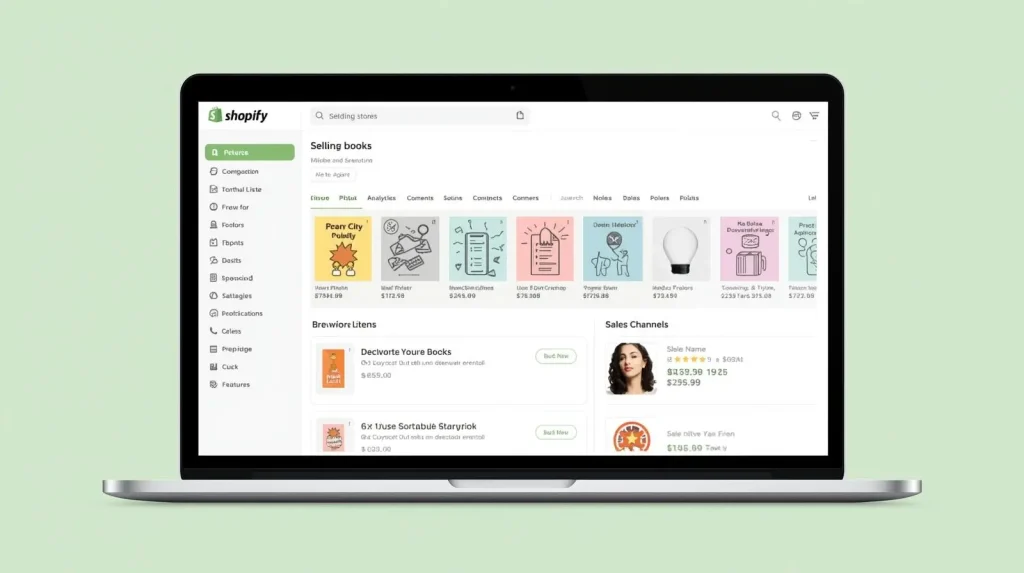
Selling ebooks on Shopify is one of the fastest ways to launch a professional, scalable digital bookstore. Shopify handles the complex e-commerce infrastructure—hosting, security, and payments—so you can focus on curation and marketing. However, a successful store requires more than just uploading files; it demands a legal foundation and a strategic customer journey. This guide provides the complete blueprint, from initial legal setup to your first sale and beyond.
Phase 1: The Legal Foundation (Before You Install Shopify)
This is the most critical step. Selling copyrighted ebooks without permission will get your store shut down.
- Secure Licensed Inventory: You must source ebooks that you have the legal right to resell. Do not use ebooks from Amazon, Google Play, or pirated sites.
- The Solution: Purchase a lifetime eBook bundle with Master Resale Rights (MRR) or Private Label Rights (PLR) from a reputable provider (like Books Bundle). This grants you a legal license to sell the included content.
- Understand Your License: Your rights bundle should come with a clear Terms of Use. Know if you have PLR (can modify/brand) or MRR (can resell as-is). This dictates how you can package your products.
Phase 2: Shopify Store Setup & Configuration
Step 1: Initial Shopify Setup
- Sign Up & Choose a Plan: Start with the Basic Shopify plan ($39/month). It includes all you need.
- Select a Theme: Choose a clean, fast-loading theme from the Shopify Theme Store (e.g., Dawn, Craft, Refresh). Prioritize simplicity and readability over complex animations.
Step 2: Configure Essential Legal & Store Settings
- Legal Pages: Generate and link these non-negotiable pages from
Settings > Legal.- Refund Policy: For digital products, clearly state “All sales are final due to the immediate digital nature of the product.”
- Privacy Policy & Terms of Service (ToS): Your ToS must state that customers receive a Personal Use License only and are prohibited from redistributing the files. This protects you and complies with your source license.
- Payment & Checkout: Enable Shopify Payments and/or PayPal. In
Settings > Checkout, ensure “Customers can check out using only their phone number” is turned OFF to collect essential email addresses for digital delivery.
Phase 3: Adding & Selling Your eBooks
Step 1: Create Your First Digital Product
- In your Shopify admin, go to Products > Add product.
- Title & Description: Write a compelling title and description focusing on the benefits (e.g., “Learn Python in 30 Days”) and list what’s included.
- Pricing: Set a value-based price. A curated bundle of 5-10 ebooks should be priced at $47-$197, not $0.99.
- Digital Delivery – THE CRITICAL STEP: Do not manually email files.
- Install the FREE “Digital Downloads” app by Shopify. It’s official and reliable.
- In the product’s “Files” section, upload your bundled ebook file (e.g., a ZIP or PDF). The app will automatically attach it to the product.
Step 2: Organize with Collections
Create Collections (Shopify’s term for categories) for your niche bundles (e.g., “Python Programming Bundles,” “Keto Diet Guides”). This improves site navigation and SEO.
Phase 4: Essential Apps to Enhance Your Store (The Shopify “Toolkit”)
While Shopify is powerful out of the box, a few key apps will professionalize your store.
| App | Purpose | Why You Need It |
|---|---|---|
| PageFly | Drag & Drop Page Builder | To create high-converting, unique sales pages for your ebook bundles that stand out from the default product page. |
| SEO Manager | SEO Optimization | Helps you optimize page titles, meta descriptions, and alt text to rank in Google search. |
| Klaviyo | Email Marketing | The industry leader for Shopify. Automate welcome emails, send bundle promotions, and build customer segments. |
| Growave | Reviews & Loyalty | Add customer reviews (social proof) and a points/reward system to encourage repeat purchases. |
| Spocket or Modalyst | Optional – Print-on-Demand | If you want to offer physical workbook versions of your bestsellers as an upsell. |
Phase 5: Marketing Your Shopify eBook Store
A store with no traffic makes no sales. Implement these from day one.
- Content Marketing (Blogging): Use Shopify’s built-in Blog feature. Write articles using the PLR articles from your source bundle (rewritten in your own words). For a “Home Fitness” store, blog about “10-Minute Home Workouts.” This drives free organic traffic from Google.
- Email List Building: Your most important asset. Use Klaviyo to create a pop-up offering a free lead magnet (e.g., a short “Beginner’s Guide” ebook from your library) in exchange for an email address.
- Social Media & Pinterest: Pinterest is exceptionally powerful for visual niches (crafts, cooking, fitness). Create pins linking to your blog posts and product pages.
Phase 6: Advanced Strategy & Scaling
- The Upsell/Cross-Sell: After a customer buys a “Beginner’s Python” bundle, use Shopify’s native recommendations or an app to suggest your “Advanced Python Projects” bundle.
- Leverage White Label Rights: If your source license allows it, create a high-ticket “Reseller License” product for your best-selling bundle. Sell it to other entrepreneurs who want to start their own ebook business. This can be a $497+ product.
- Analytics: Use Shopify Analytics to track your best-selling products and traffic sources. Double down on what works.
Common Pitfalls to Avoid
- ❌ Ignoring the License: Selling without MRR/PLR rights.
- ❌ Manual Delivery: Wasting time emailing files. Always automate.
- ❌ Poor Product Images: Use Canva to design professional bundle cover mockups. Don’t use low-quality screenshots.
- ❌ Neglecting SEO: Not using the blog or optimizing product pages for search.
Selling ebooks on Shopify is a powerful, streamlined path to a digital products business. By combining legally-sourced content (your #1 priority) with Shopify’s robust platform and a strategic marketing plan, you create a asset that generates passive income. Start by securing your inventory, then follow this setup guide. Your branded, automated, and profitable digital bookstore is within reach.